How to keep AI images on brand
To keep AI images on brand, give the model the brand every time, not only the idea: the rules, the world the brand lives in, and pictures of anything that must look exactly like yours. In Plurum you load the brand into the client once. Every shot you make for that client on Generate is composed from it, so you type what you want and the brand supplies the rest. Where a thing has to be right, a mark, a product or a person, you attach a picture of it.
The example: a coffee company
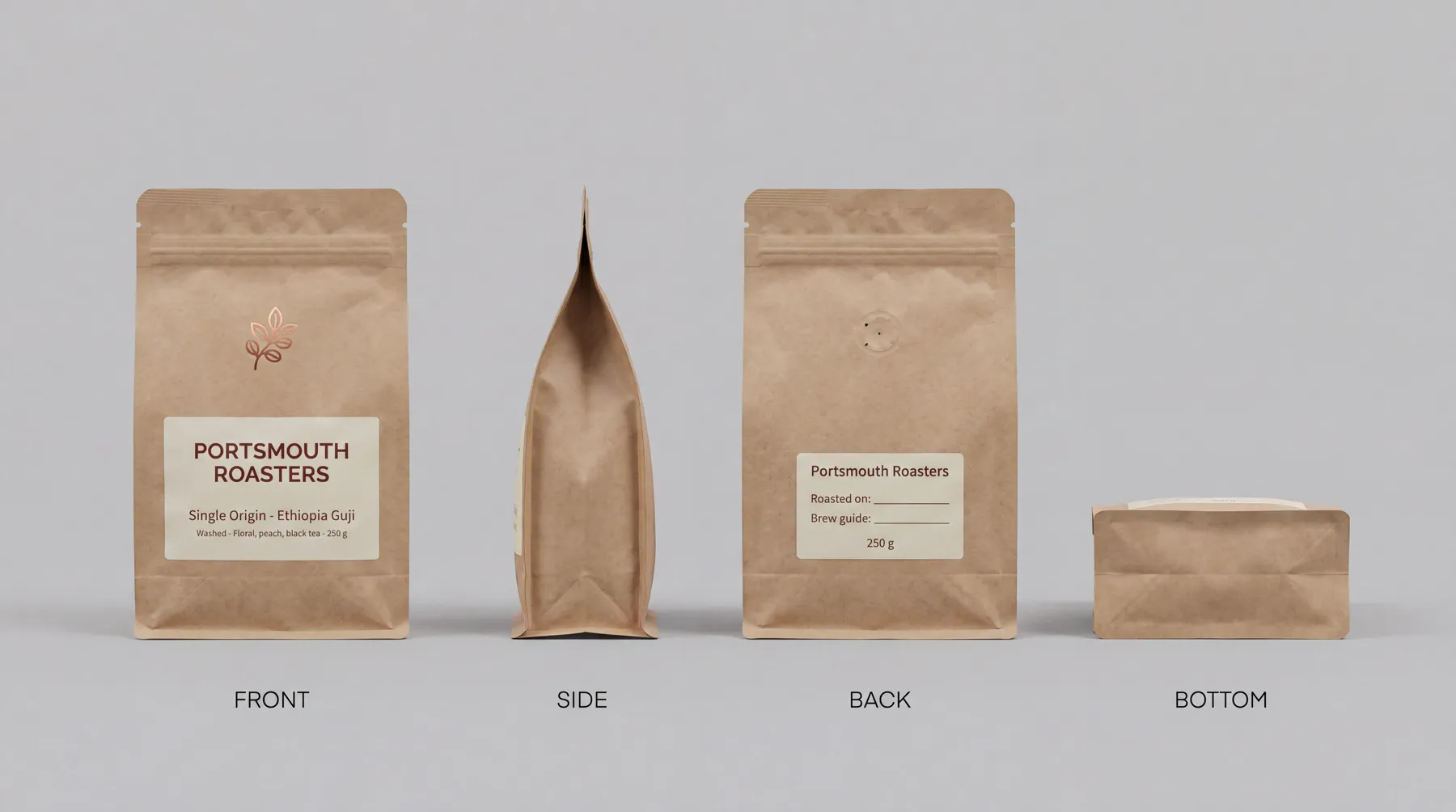
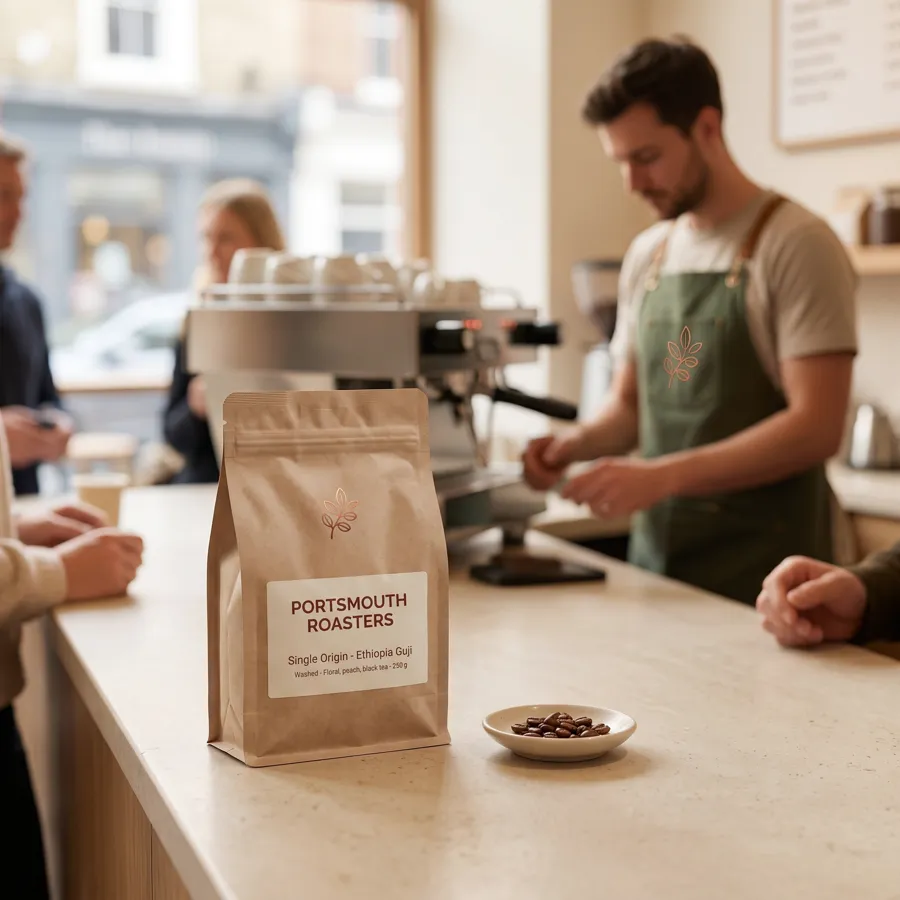
Portsmouth Roasters is a fictional coffee company in Plurum's demo studio, written as a national chain with its own roastery. It has two baristas, Ray and Mila, a single-origin coffee bag, and a staff apron.
What went into the brand. One brand document covering the company, its tone, its mark and the things it photographs. Eight hard rules, such as "Warm light always; no cool fluorescent grading, no blue chain-store cast" and "No real brands, marks or machine badges; espresso machines unbadged". Eight reference pictures: the mark, the wordmark, the cup, the counter, the roastery, the shop front, the menu board and the apron. In Brand Kits, a sheet for the single-origin bag, a sheet for the apron, and the two baristas as characters.

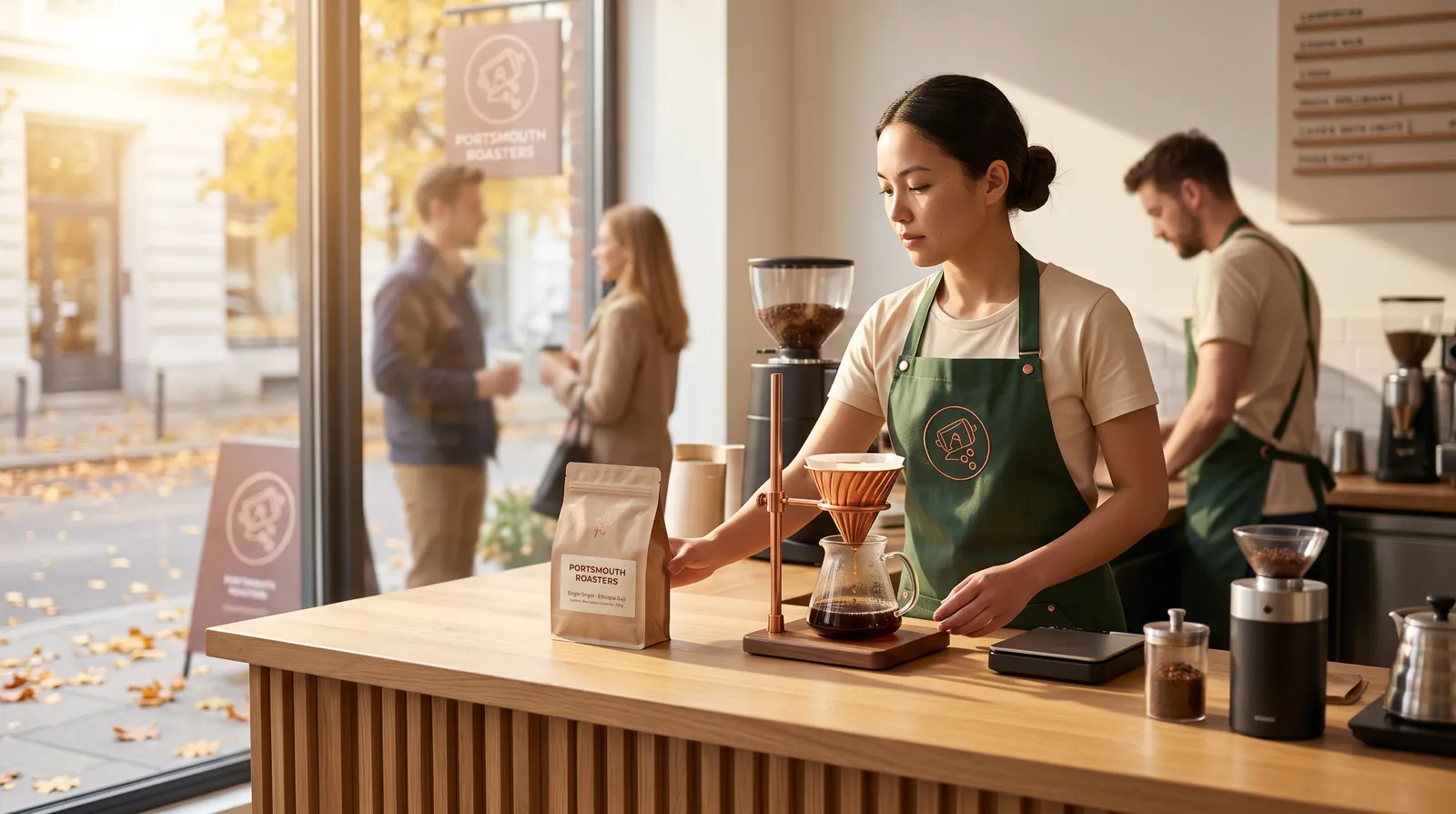
What we typed, and what was sent. For the shot of Mila with the bag, we typed one line of 131 characters: "Mila behind the counter on a quiet autumn morning, setting a single-origin bag on the counter beside a pour-over, warm window light". Plurum composed the brand around it and sent 9,470 characters: the rules, the brand document, a line telling the model what each attached picture is for, and our line.
Attaching what must be right. When a shot needs a particular thing, we attach its reference picture as well as naming it.
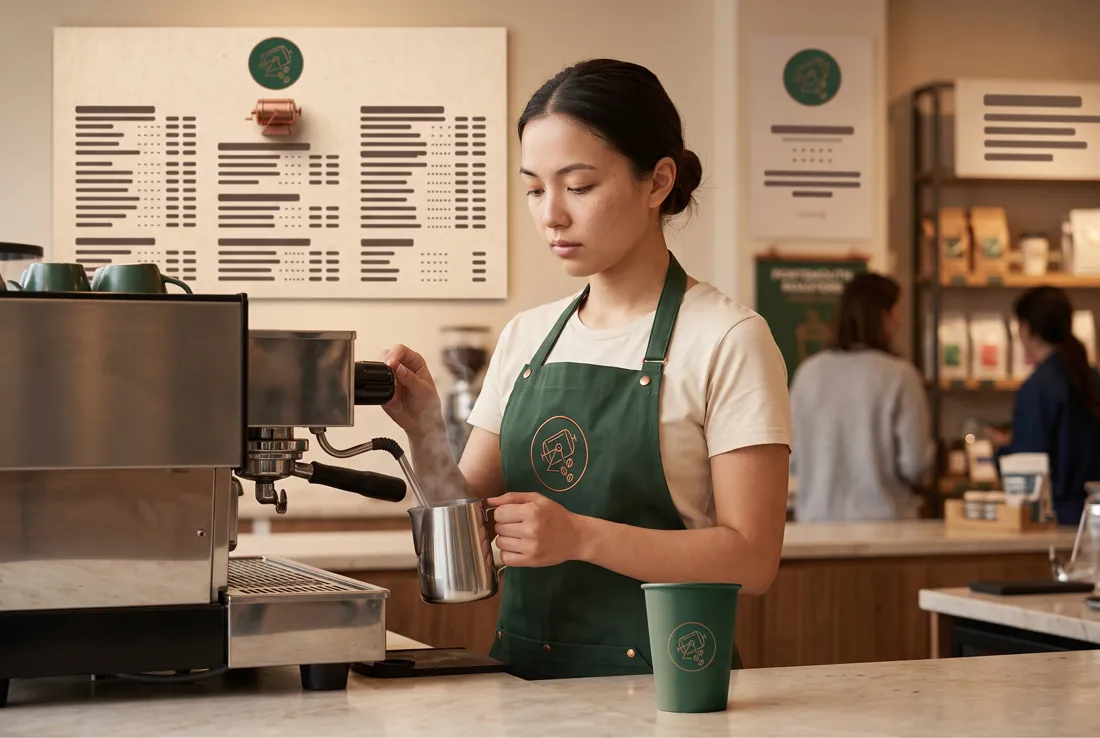
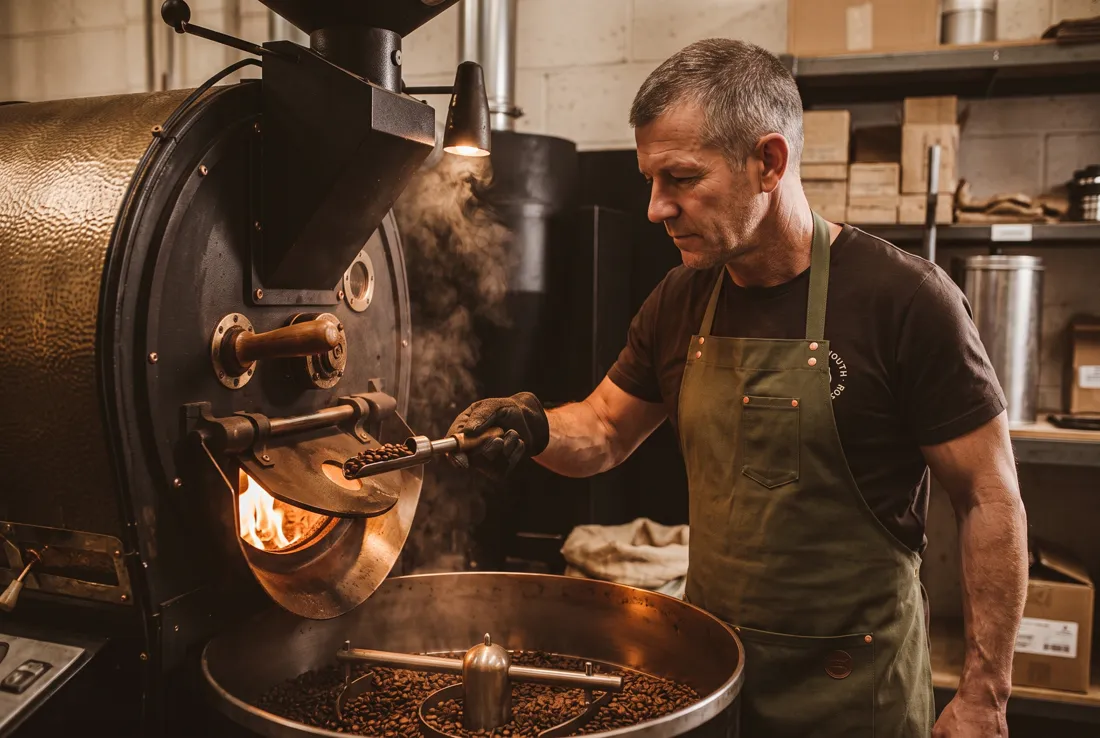
What it cost. Each shot is one image at the provider's price, and each keeps the price it was made at. On the demo studio's statement the two August shots came to $0.0672 each and the September shot to $0.101, because the rate card changed between them (2K, rates as of 4 August and 8 September 2026). Every generation lands on the statement.
We made these through the assistant on the demo; the Generate route in the app does the same thing by hand.
How it works in Plurum
- Add the client in Clients. On Brand assets, add the logo, the colours, the brand document and the hard rules. These go into every shot you make for this client.
- Add reference pictures on References. The things the brand is made of: the mark, the shop, the packaging, the uniform.
- Build what the brand sells and who appears in Brand Kits. Products and uniforms get a sheet; people become characters.
- Make the shot on Generate. Pick the client, type what you want, and pick any reference pictures or kit items the shot needs. A picked product's sheet goes with the shot unless you remove it; nothing else is attached unless you pick it.
- Press Generate. The estimate is on the button before you press it.
What goes into the brand, and what each part does
| Part | Where it lives | What it does | Plans (as of 28 Sep 2026) |
|---|---|---|---|
| Brand document | Clients, Brand assets | Sent with every shot for the client | Every plan |
| Hard rules | Clients, Brand assets | Sent with every shot, as a list of rules | Every plan |
| Reference pictures | Clients, References | Attached to a shot when you pick them | Every plan |
| Product sheets | Brand Kits, Products | Attached when you pick the product | Every plan; Free holds up to 5 products per client |
| Uniform sheets | Brand Kits, Uniforms | Attached when you pick the uniform | Business, Studio and Team |
| Characters | Brand Kits, Characters | Cast into a shot when you pick them | Business, Studio and Team |
| Image styles | Styles | How a picture looks, shared across every client | Every plan |
What it does not do
- Words alone cannot draw your mark. Without a picture of your mark, the model draws its own. In the shot below no picture of the brand's mark was attached, and the barista's apron carries the leaf from the bag instead. When a mark or a product has to be right, attach its picture.
- The brand only reaches shots made for the client. On Generate with the client picked, it is composed in. An edit of an existing picture runs with the brand off by default, so the brand does not restyle a photograph you asked to leave alone.
- A rule is kept as you wrote it. Where Plurum can turn it into a positive form, what to show rather than what to avoid, that form is sent and the rule's row says so. Otherwise the row reads "sent as written", and that is what goes. Edit any rule that reads wrong. Where a provider caps the prompt, Plurum compresses the brand material first, and the picture's record says if anything was left out. On Portsmouth Roasters every rule reads sent as written.
- One brand on Free and Business. Studio and Team hold several. Free is images only, 25 a month, with no characters, uniforms or video.
- It runs on your own provider keys. Each shot is one image at your provider's price, paid to them directly, with nothing added by Plurum.
Related
- How Plurum reads a brand: the kit, on the home page.
- Casting a character: the same person across a campaign.
- Making a shot: Generate, step by step.
Questions people ask
Do I have to paste my brand guidelines into every prompt?
No. You load them into the client once, and every shot you make for that client is composed from them.
Will the AI get my logo right?
Attach the mark as a reference picture on any shot where it has to be right. Without one, the model draws its own.
Can I use one account for several brands?
Yes, on Studio or Team, where each client holds its own brand. Free and Business hold one.
Does the brand change edits to my own photos?
Not unless you ask it to. Edits run with the brand off by default.
What does a shot cost?
One image at your provider's price, shown on the Generate button before you press it. On the demo studio a 2K shot was $0.101, at rates as of 8 September 2026.
Who made this
Plurum is coming soon, for Mac.
Register your interest
Plurum is nearly ready. Leave your details and we'll write to you when your plan opens - that's all we'll use them for.