AI images for freelancers
One person, several clients: Plurum keeps each client's brand on its own record, shows the price before you spend, and gives you a statement per client to invoice from.
 Harriet Vale
 Ovenbird
 Arcadia Audio
What you get



A record for each client in Clients.
Their brand document, hard rules, logo, colours and reference pictures, loaded once.
The price before you spend.
The estimate is on the Generate button, and on every other button that spends.
 Lookbook, three-quarter crop
 Work bench, flour in the grain
Saved prompts per client.
Save an ask that worked, with the client it belongs to, and start from it next time.
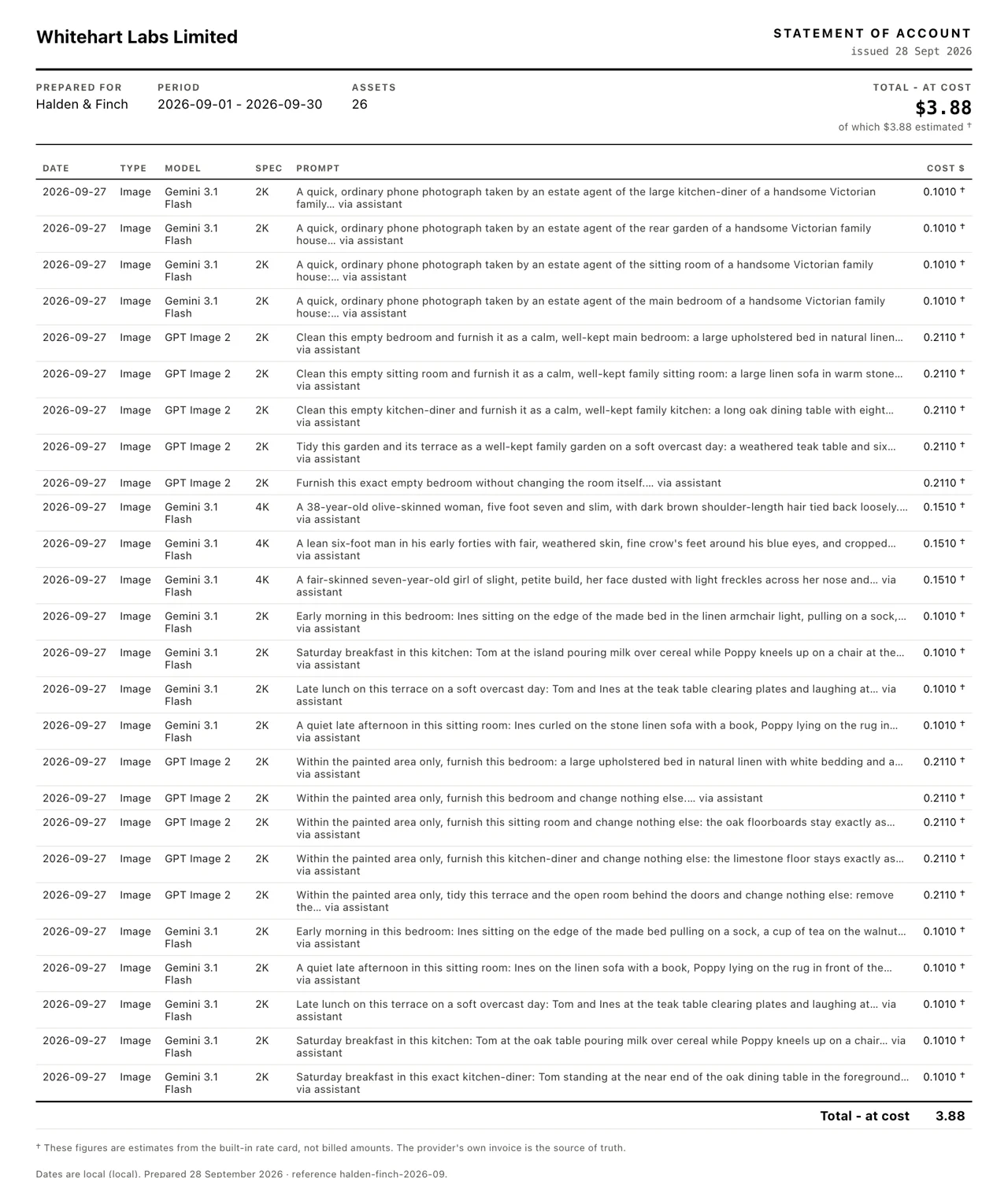
A statement per client in Statements.
Every generation for that client, with its cost, exported as a PDF under your own business name.
A monthly budget per client,
if you want one.
A bakery and a boutique
Ovenbird, a bakery, and Harriet Vale, a boutique, are two fictional clients in Plurum's demo studio, the kind of pair one freelancer might hold at once.
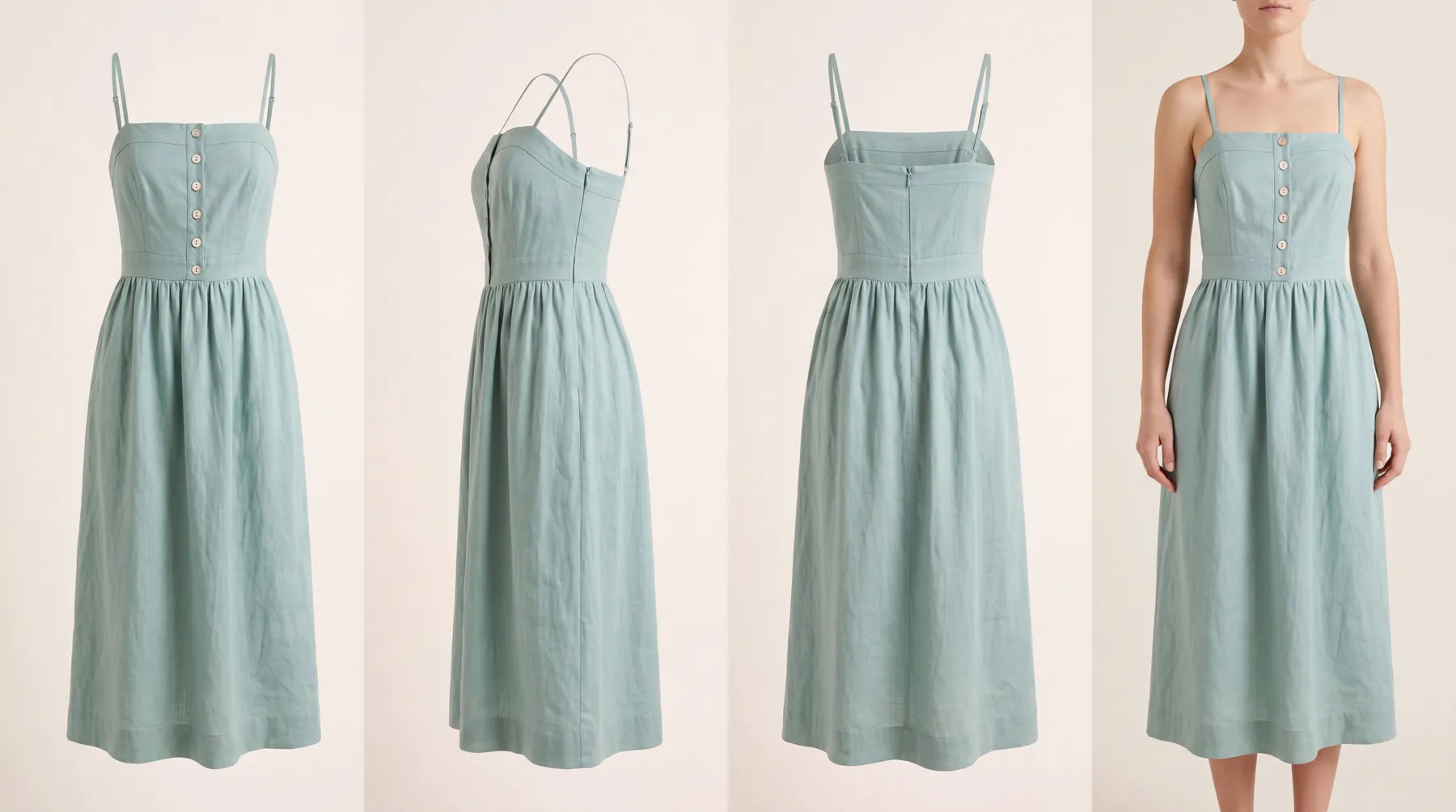 Linen dress
 Nell
NellWe made these through the assistant on the demo; the Generate route in the app does the same thing by hand.
How it works
Add each client in Clients.
Brand assets holds the brand document, hard rules, logo and colours; References holds the pictures.
ClientsMake the work on Generate.
Pick the client first. The estimate is on the button before you press it.
GenerateSave the asks that work.
A saved prompt keeps the ask and its setup for that client, and fills the prompt box when you pick it.
Saved promptsAdd your business name in Settings.
A statement exports under it.
SettingsOpen Statements at the end of the month.
Choose the client and export the PDF.
StatementsPlans for freelancers
Every plan runs on your own provider keys. You pay each provider directly, and Plurum adds nothing to the price.
25 images a month, images only.
Each with its own statement and budget.
What it does not do
A statement shows cost, not your fee.
It lists what each generation cost at your provider's prices. What you charge the client is yours to add on your own invoice.
The costs are estimates.
They come from Plurum's rate card and are marked as estimates. Your provider's invoice is the real figure.
One client on Free and Business.
For several clients, Studio holds as many as you have.
Some things are on the paid plans.
Statements, video, characters, uniforms, shotlists, batch runs and visual search are on the paid plans.
It is for Mac.
Plurum is coming soon, for Mac.
Questions people ask
Can one person use Plurum for several clients?
Yes. Each client is its own record, and Studio holds as many as you have.
How do I invoice a client for AI images?
Export their statement for the month and use it beside your invoice. It lists the cost of every generation made for them; your fee is yours to add.
Will I know the price before I generate?
Yes. The estimate is on the button that spends.
Do I need a separate AI account for each client?
No. You connect your own provider keys once, and every client's work runs on them.
Can I reuse a prompt that worked?
Yes. Save it for the client, and it fills the prompt box next time.
Related


Plurum is coming soon, for Mac.
Plurum is nearly ready. Leave your details and we'll write to you when your plan opens - that's all we'll use them for.