plurum

AI fashion photos for boutiques

Build each piece once as a sheet and your model once as a character, then put them together in any place you describe, as often as the season needs.

Harriet Vale
Harriet Vale
Harriet Vale
Harriet Vale
0.1

What you get

FIG 0.1.1

Clothes as sheets, in Brand Kits.

A garment goes in as a uniform, Plurum's kind for anything worn: front, side, back and one picture of it worn become one sheet.

FIG 0.1.2

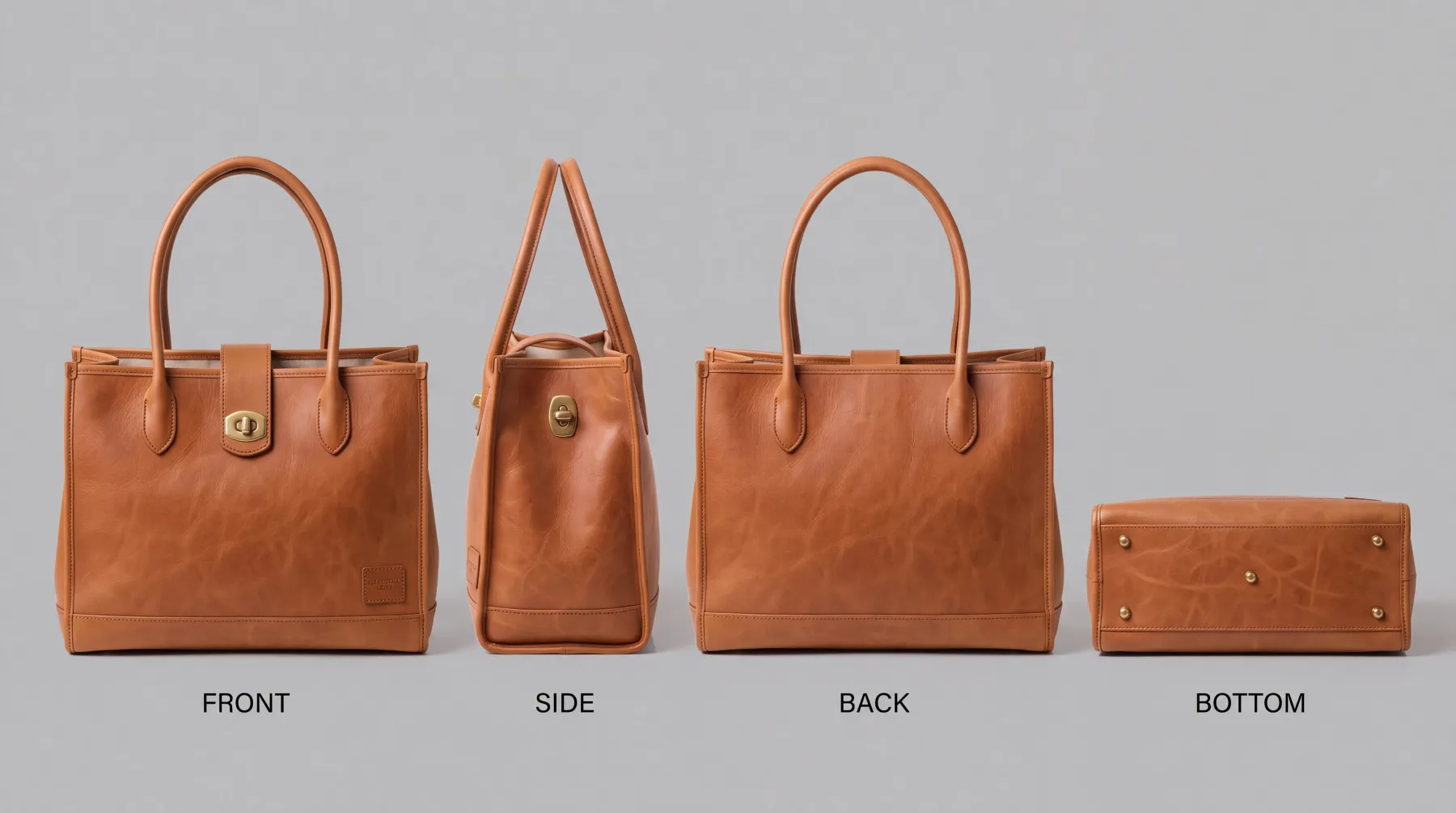
Bags and accessories as product sheets.

Front, side, back and base, with the words printed on them.

FIG 0.1.3

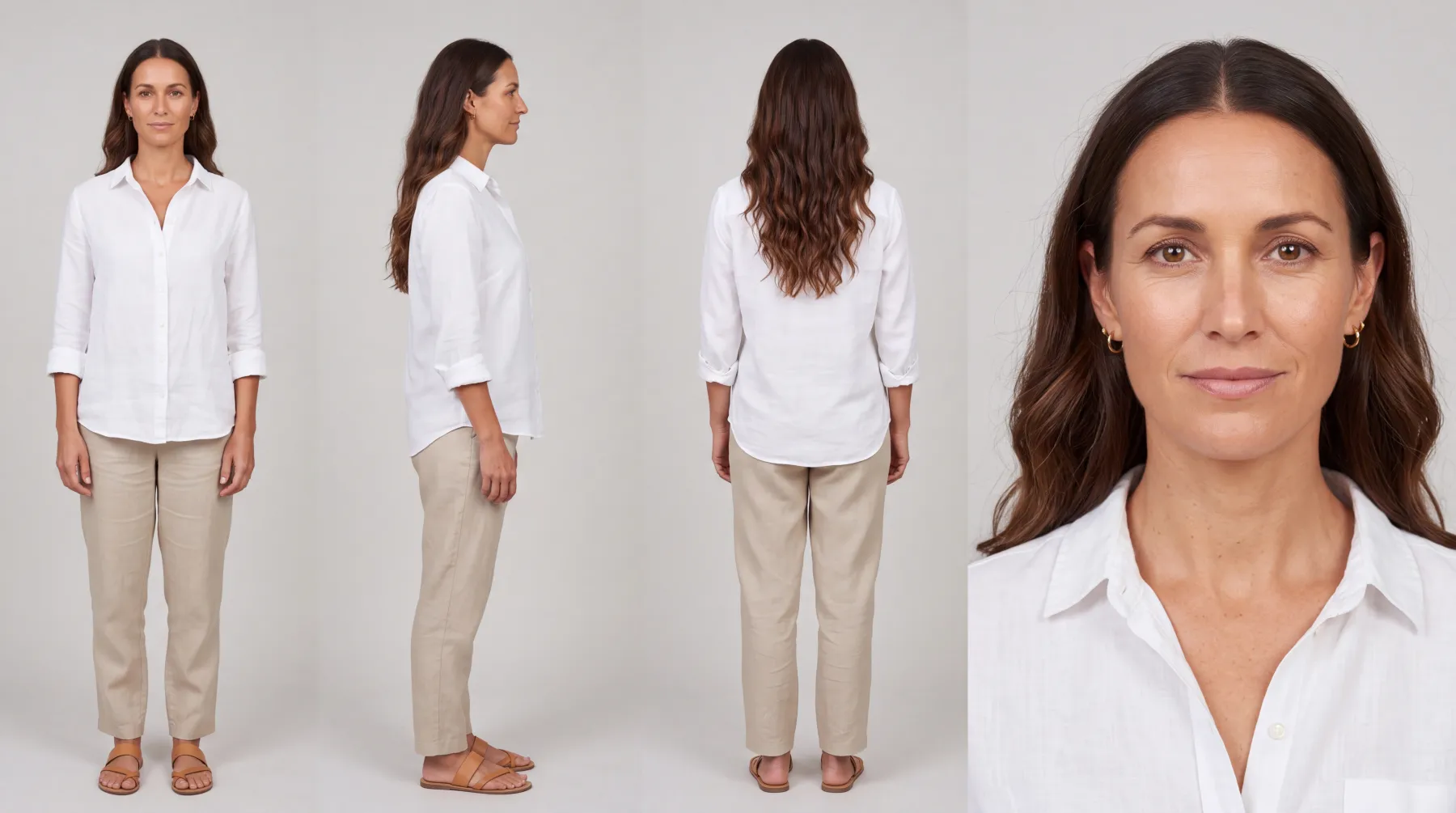
A model as a character.

Describe her once, and pick her for any shot.

FIG 0.1.4

Your shop's brand on every shot.

Your logo, colours and rules, composed in.

FIG 0.1.5

The price before you spend,

on the button.

0.2

The example: a linen dress and a leather tote

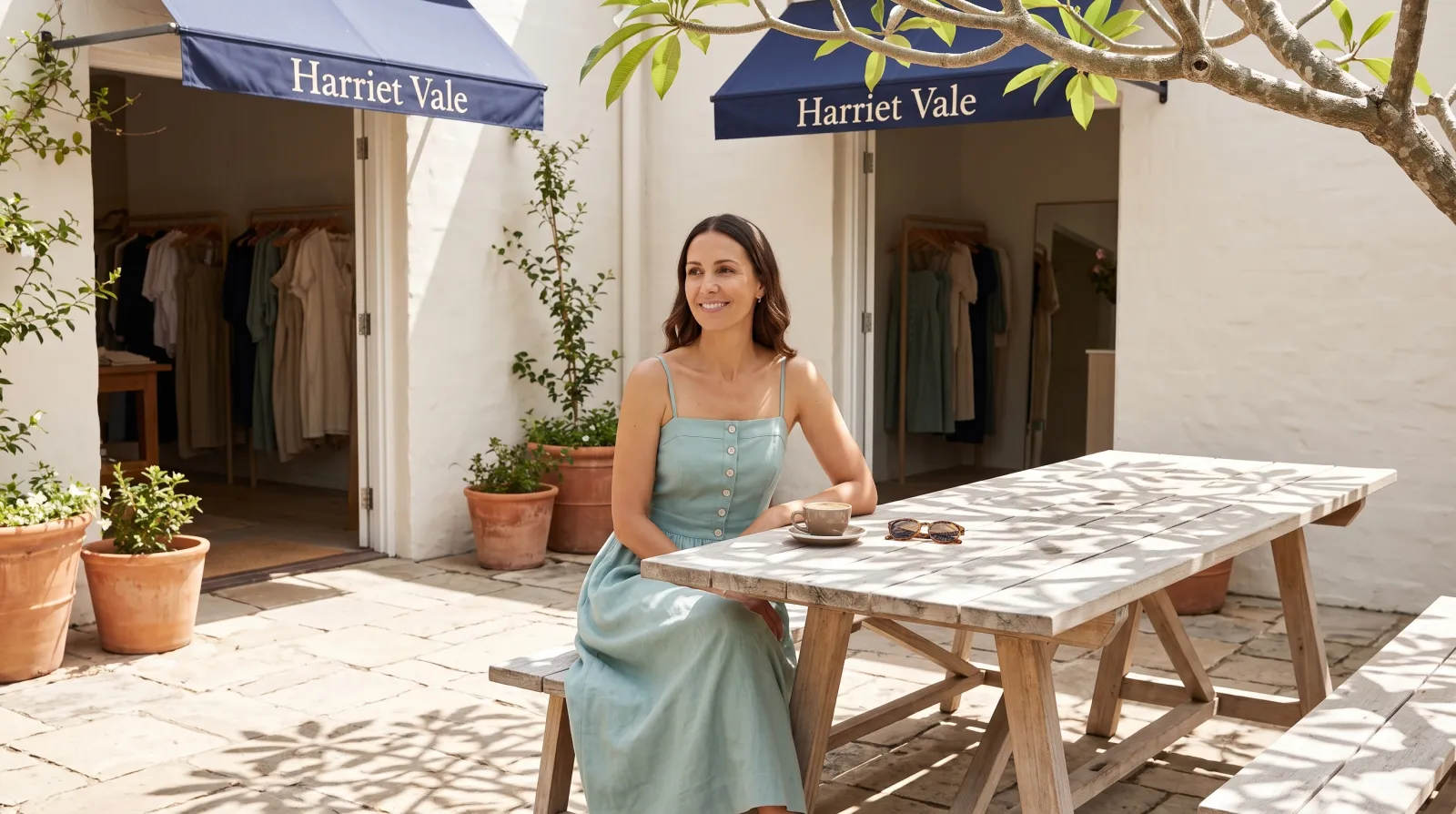
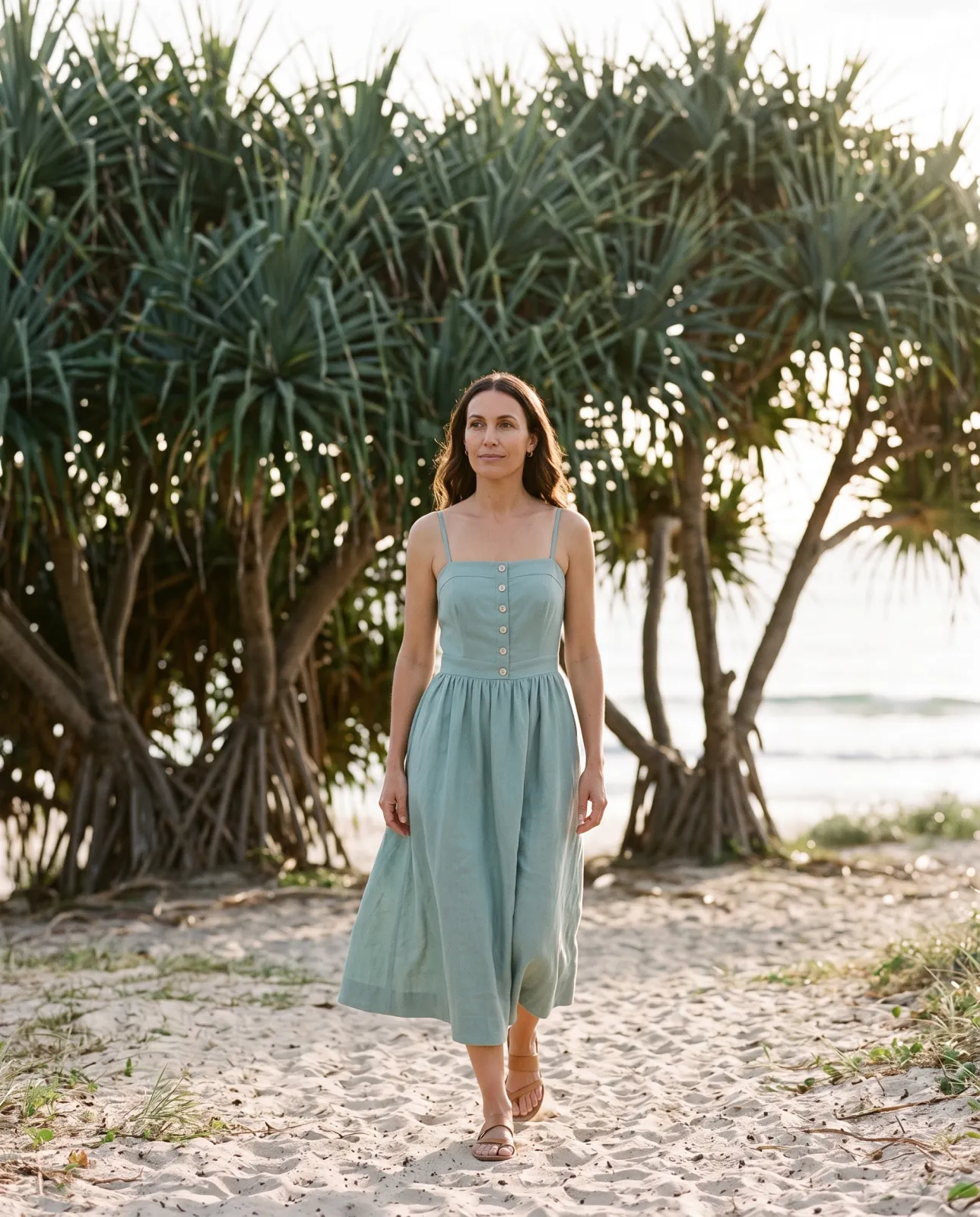
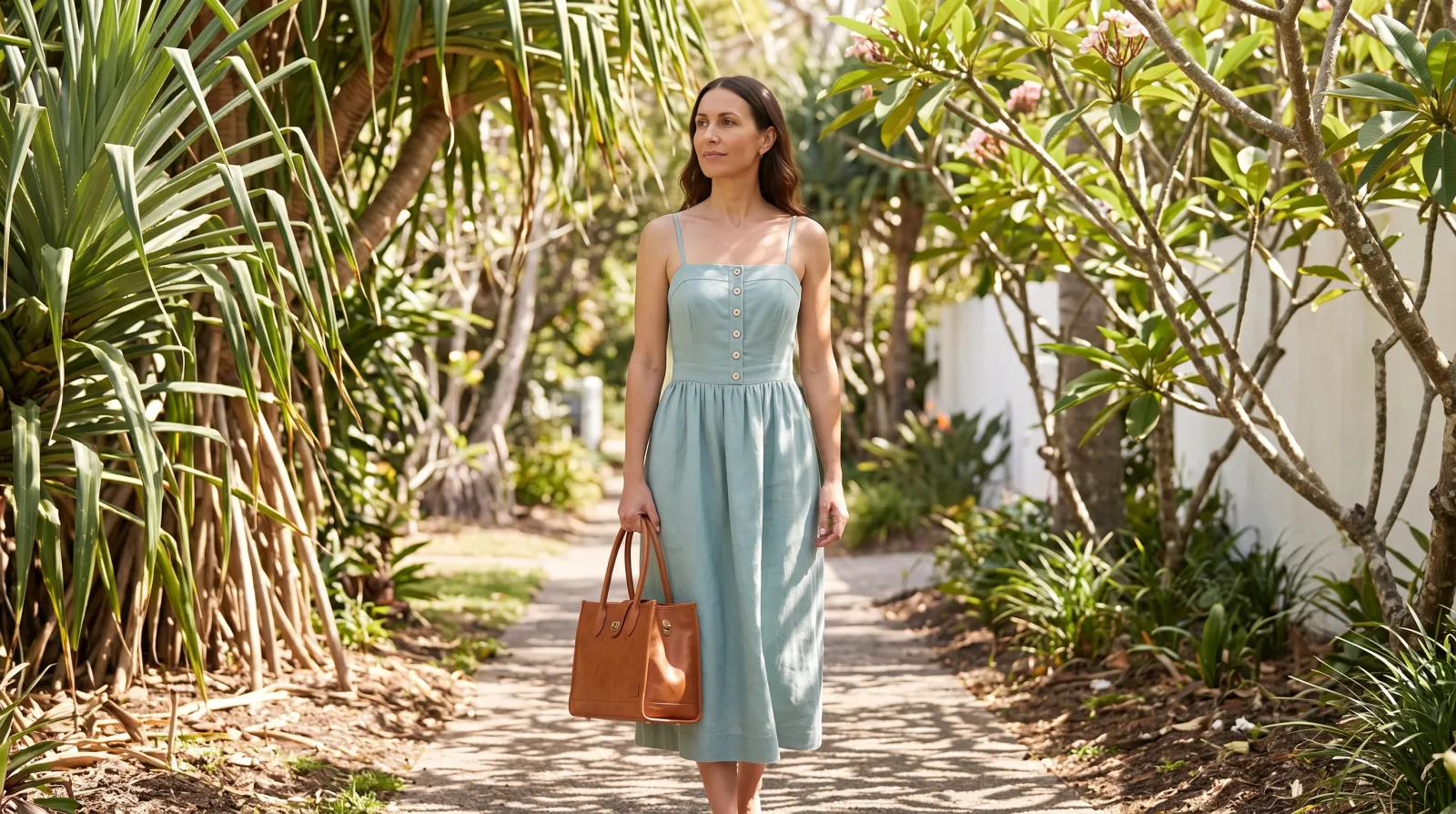
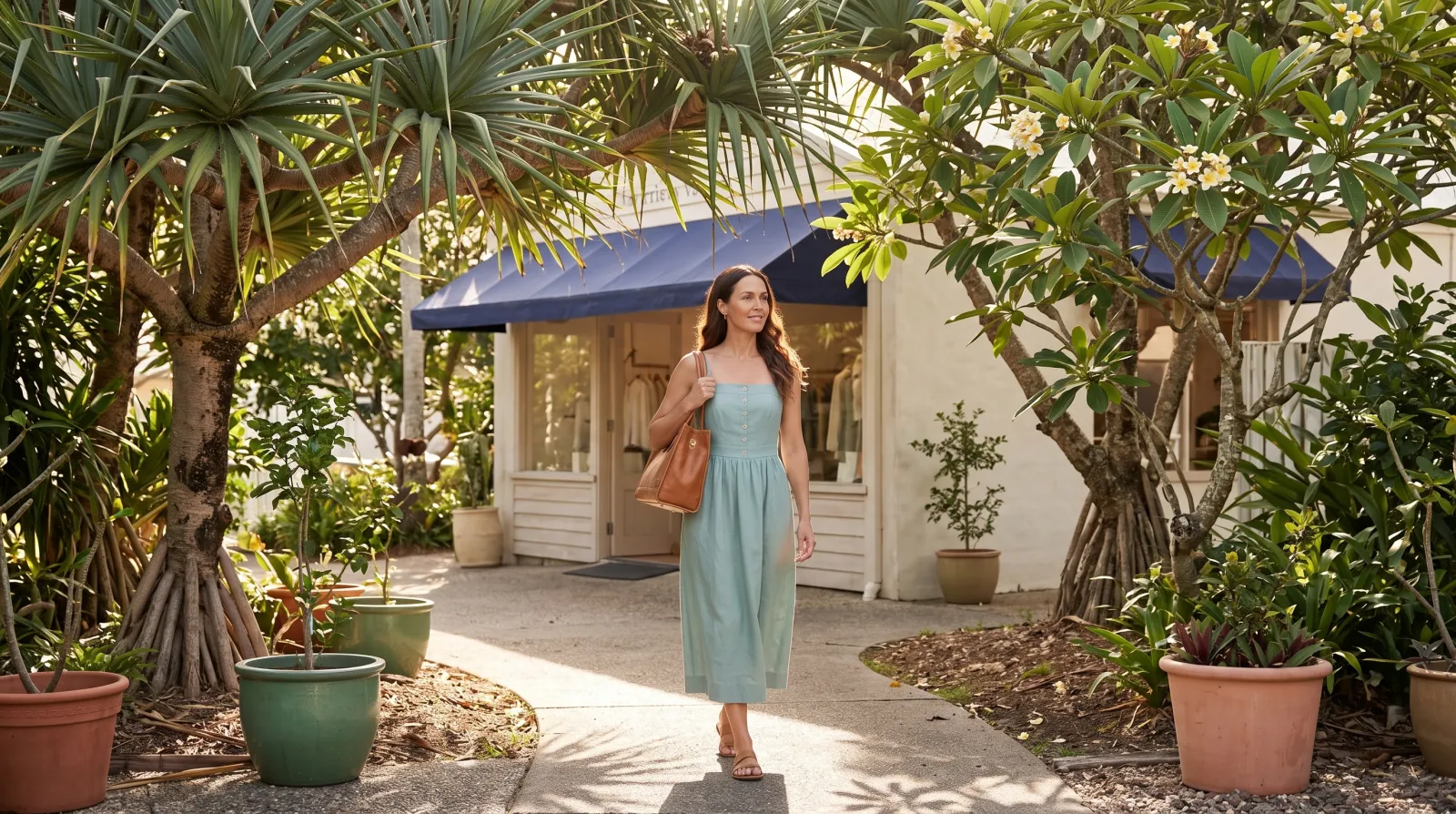
Harriet Vale is a fictional boutique in Plurum's demo studio. For its summer lookbook it needed its sea-glass linen dress and its tan tote on a model, in the places its customers go.

WHAT WENT IN
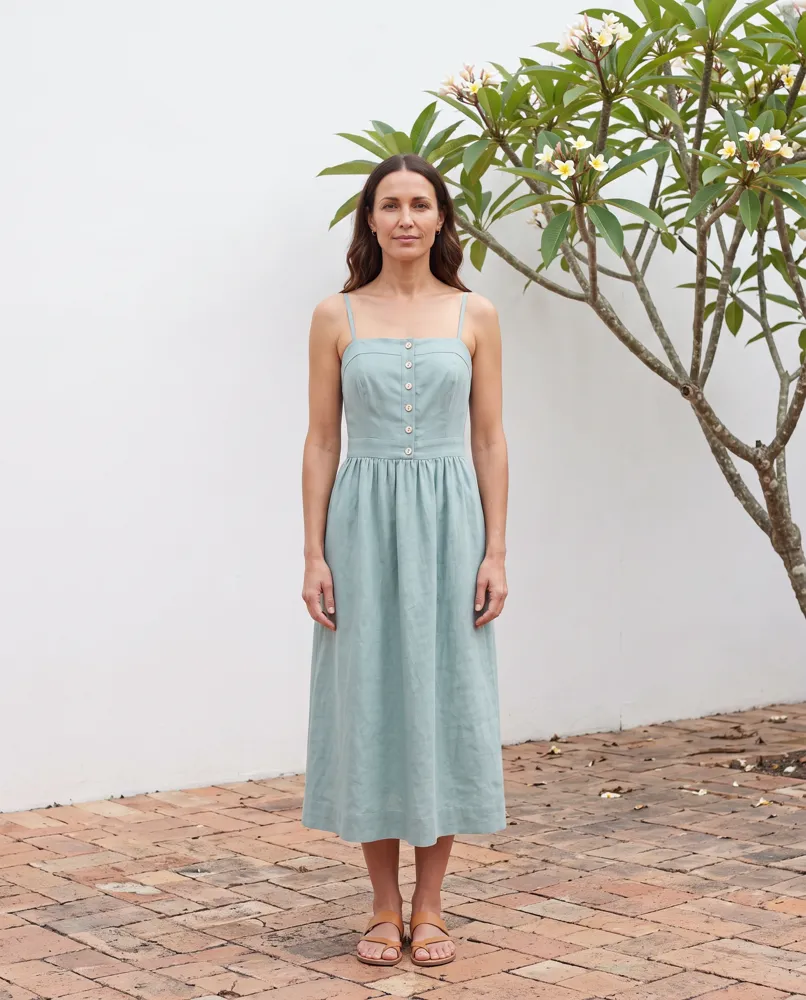
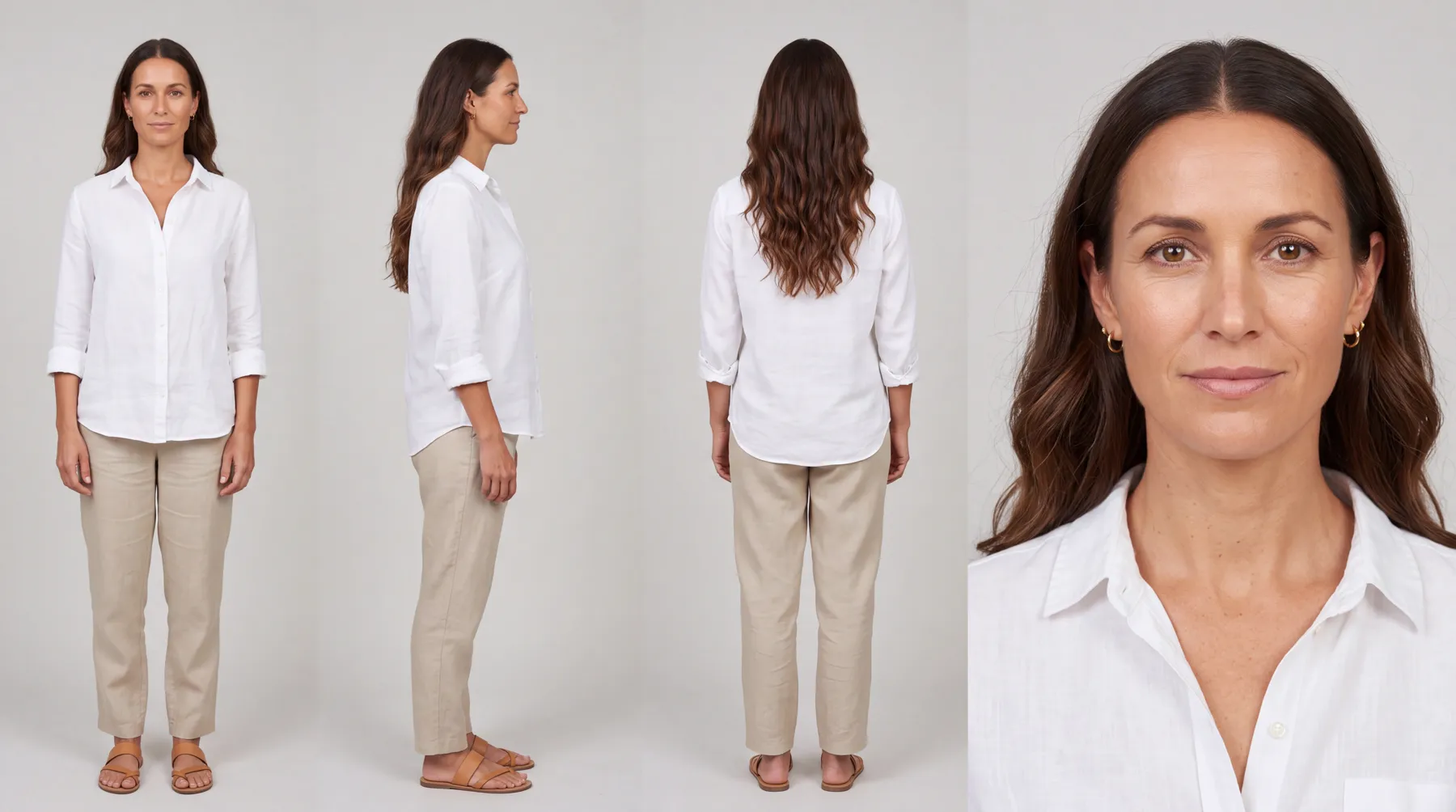
The dress as a uniform, from four pictures. The tote as a product. And Nell, a character for the brand, a model in her late thirties, dressed plainly on her own sheet so the shop's clothes go on over it. The starting pictures of the dress and the tote were generated in Plurum as stand-ins for phone photos, because the shop is fictional.
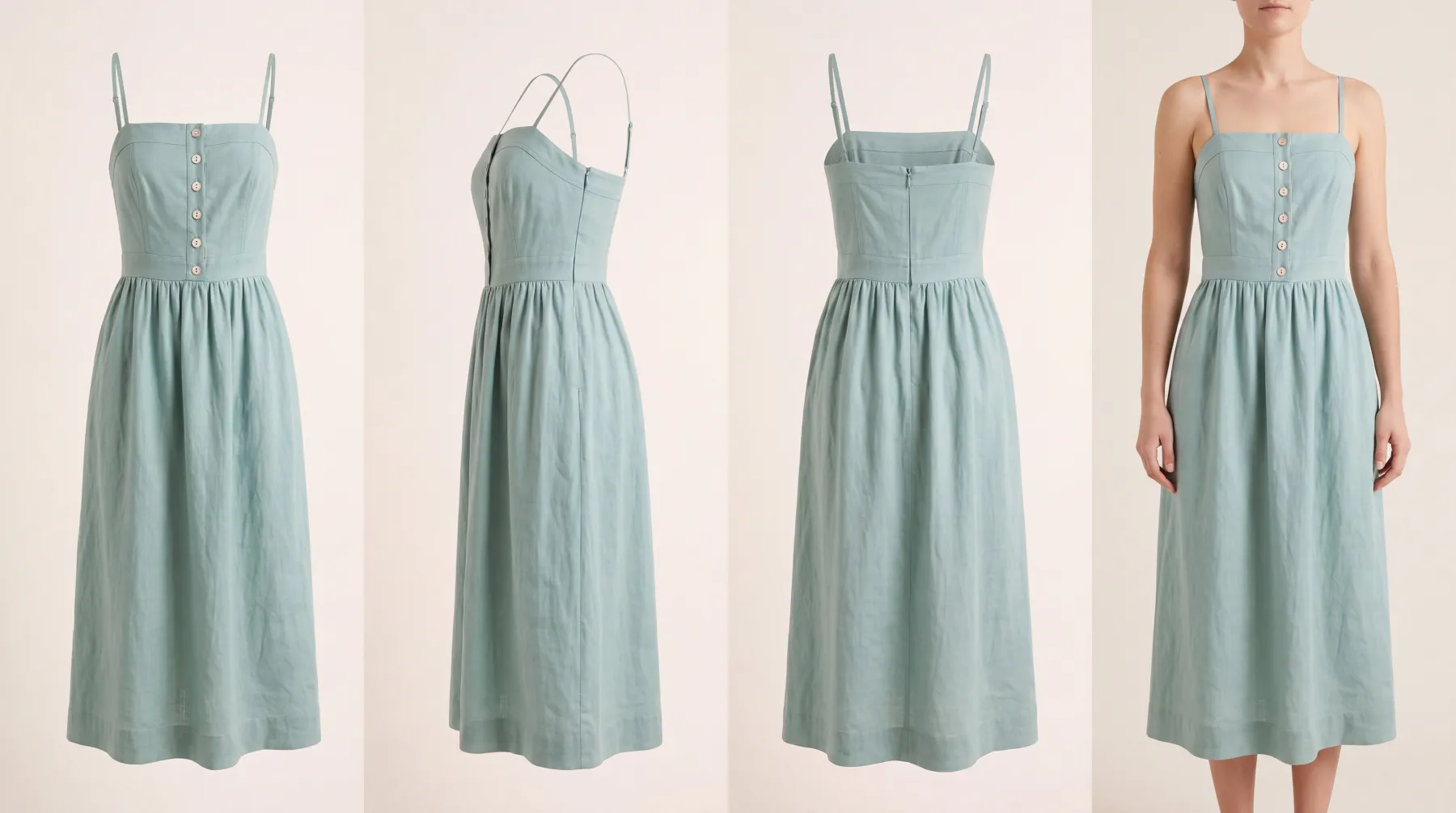
The dress's sheet: front, side, back and worn.
WHAT WAS MADE
The shop courtyard. Nell cast, the dress sheet attached.
The beach path. Nell cast, the dress sheet attached.
WHAT WE LEARNED
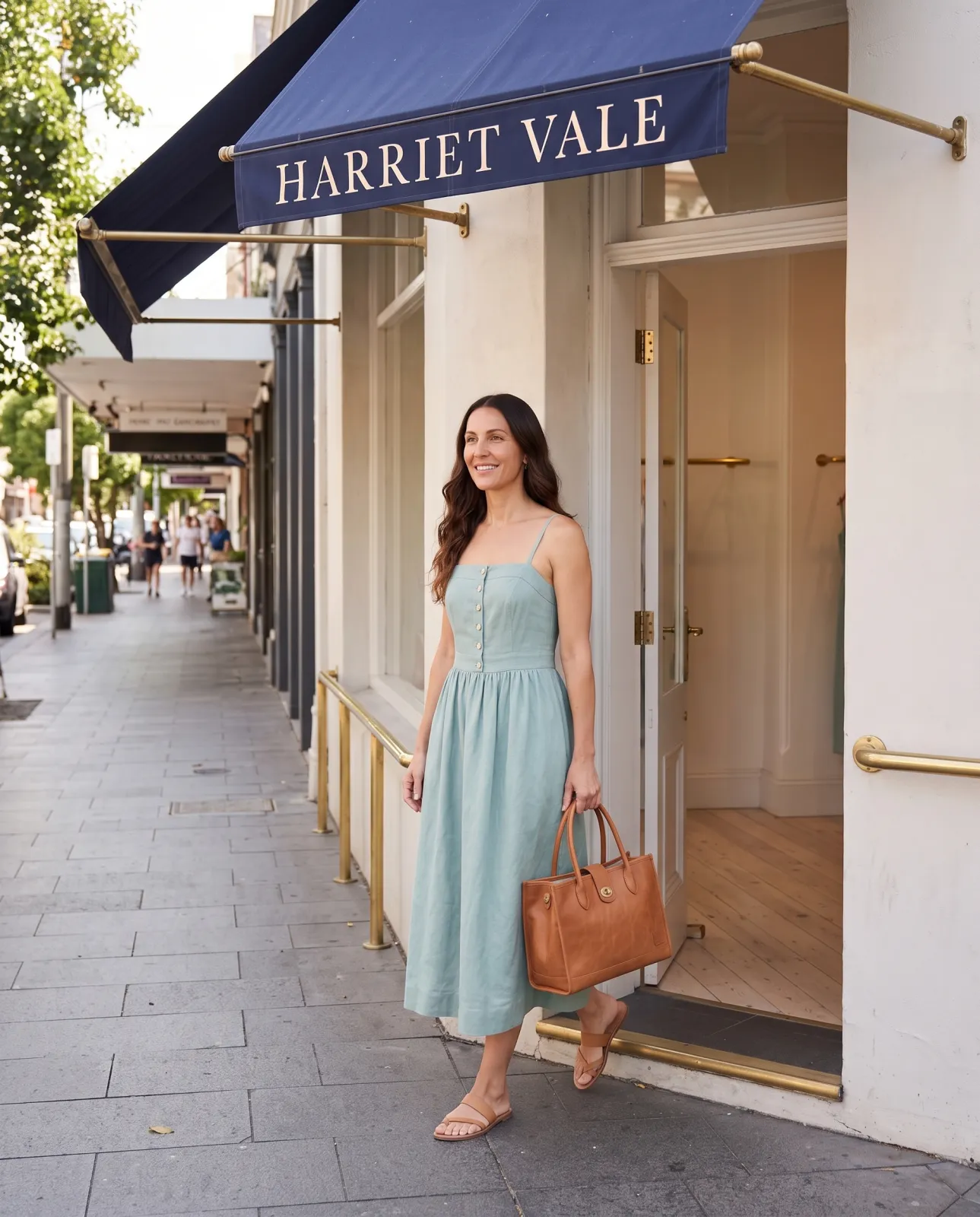
In the first street shot we asked for the tote "over one shoulder". Its handles are short and rolled, and the picture came back with a different, softer bag. Asked again for the tote "in one hand by its two short rolled handles", it came back as made.
The same street, asked two ways. Left, "over one shoulder": a different bag. Right, "in one hand by its two short rolled handles": the tote as made. Both with Nell cast and the dress and tote sheets attached.
WHAT IT COST
Each sheet was one 4K image at $0.151, and each shot one 2K image at $0.101 (rates as of 8 September 2026). The shop's statement for September, everything made for it that month including the shots we did not use, came to $3.68.

We made these through the assistant on the demo; the Generate route in the app does the same thing by hand.
0.3

How it works

01

Add your shop in Clients.

Logo, colours and a few rules on Brand assets.

02

Build each piece in Brand Kits.

Choose New product, switch to Uniform for clothing, add the four pictures and press Compile the sheet. Check it, then Keep this sheet.

03

Build your model.

In Brand Kits, Characters, New character: describe her, press Refine the description, then Generate the sheet.

04

Make the lookbook on Generate.

Pick your shop, pick the piece and the model from Brand kit, and describe the place. The estimate is on the button.

0.4

Pieces, by kind

PieceWe built it asThe four pictures
Dresses, tops, trousers, coatsA uniformFront, side, back, worn
Bags, shoes, jewellery, anything not worn as clothingA productFront, side, back, base or top
Your modelA characterBuilt from a description
0.5

What it does not do

FIG 0.5.1

Check how each piece is carried.

In one shot the tote came out as a different bag; a re-take that named how she carries it, by its two short rolled handles, came out right.

FIG 0.5.2

It can print what is not on your piece.

Only the words you type in are checked against the sheet. Our first dress sheet, built as a product, printed a clothing label that was on neither the record nor the pictures; we threw it away, and the dress's sheet, built again as a uniform, came out without one.

FIG 0.5.3

Uniforms and characters are on the paid plans.

Business holds one shop; Studio holds as many as you have.

FIG 0.5.4

It is for Mac.

Plurum is coming soon, for Mac.

0.6

Related

0.7

Questions people ask

Can AI put my own clothes on a model?

Yes. Build the piece as a sheet and the model as a character, then pick both for the shot.

Do I need a photographer for a lookbook?

Not for these pictures. You describe the place and pick the piece and the model.

Can I use the same model all season?

Yes. Build her once and pick her for each shot.

How do I add a dress?

As a uniform in Brand Kits, from a front, a side, a back and one picture of it worn.

What does a lookbook cost?

Each picture is one image at your provider's price, shown on the button. On the demo studio a 2K shot was $0.101, at rates as of 8 September 2026.

0.9

Plurum is coming soon, for Mac.

Plurum is nearly ready. Leave your details and we'll write to you when your plan opens - that's all we'll use them for.

Register your interest

Your name and email come to us once, for this alone: we'll only use them to write to you about Plurum, we don't share them, and we'll delete them if you ask.