How much does an AI image cost to generate
An AI image costs whatever the provider charges for one call, and that depends on the model and the size. On Plurum's rate card it runs from $0.003 for a quick 1K image to $0.24 for a 4K image from the dearest model. A video clip is priced by the second, so an eight-second clip at 720p comes to between $0.40 and $3.78. Plurum shows the estimated cost on the Generate button before you make anything. Each generation is charged by your provider at its published rate.
The example: a coffee bag, from design to reel
Meridian Coffee is a fictional roaster in Plurum's demo studio. We made three things for its Espresso Blend: the bag itself, a product sheet of it, and an eight-second reel.
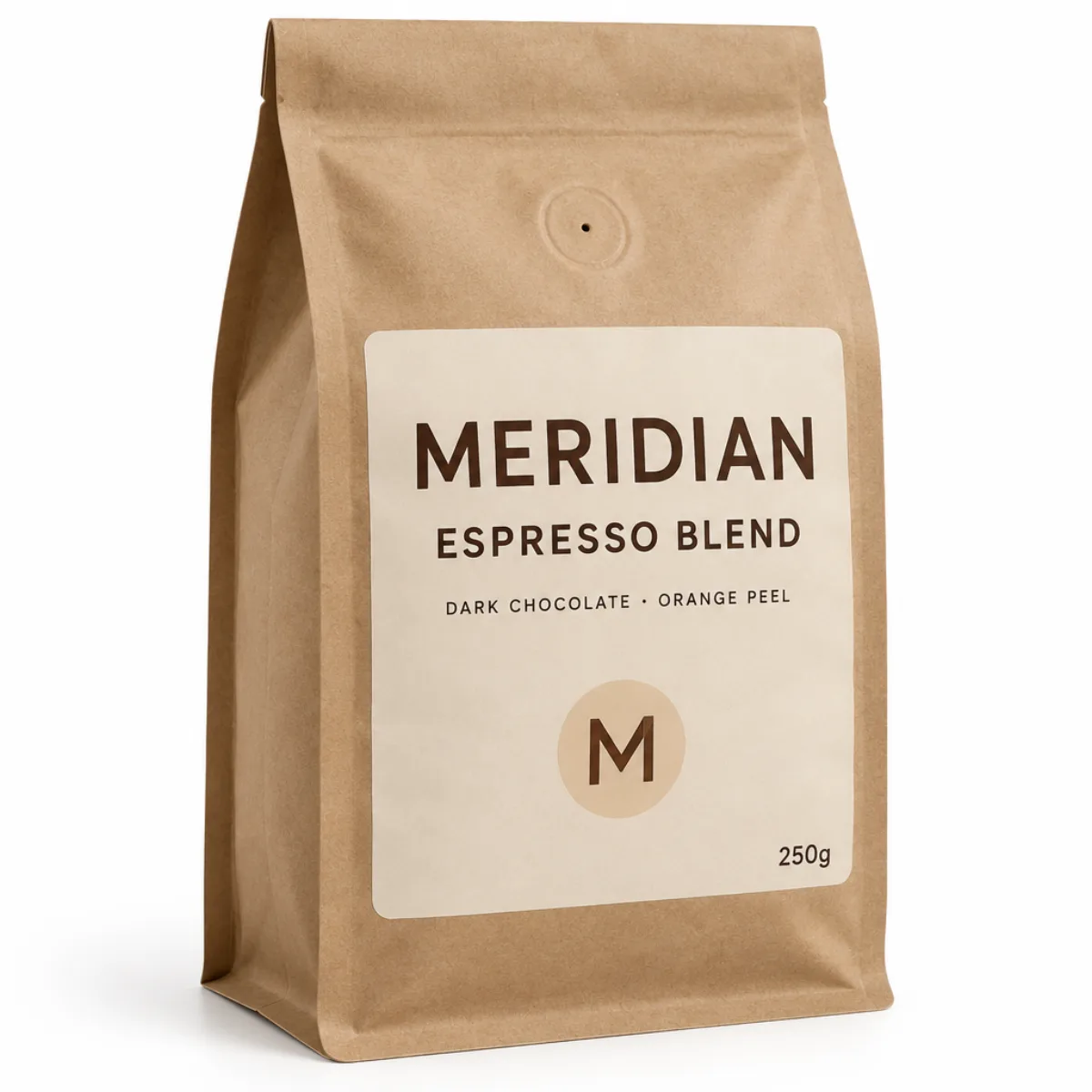
The bag. We described the bag, its label and its printed words, and made a 1K image of it. Estimated cost $0.0133 (rate as of 11 September 2026).
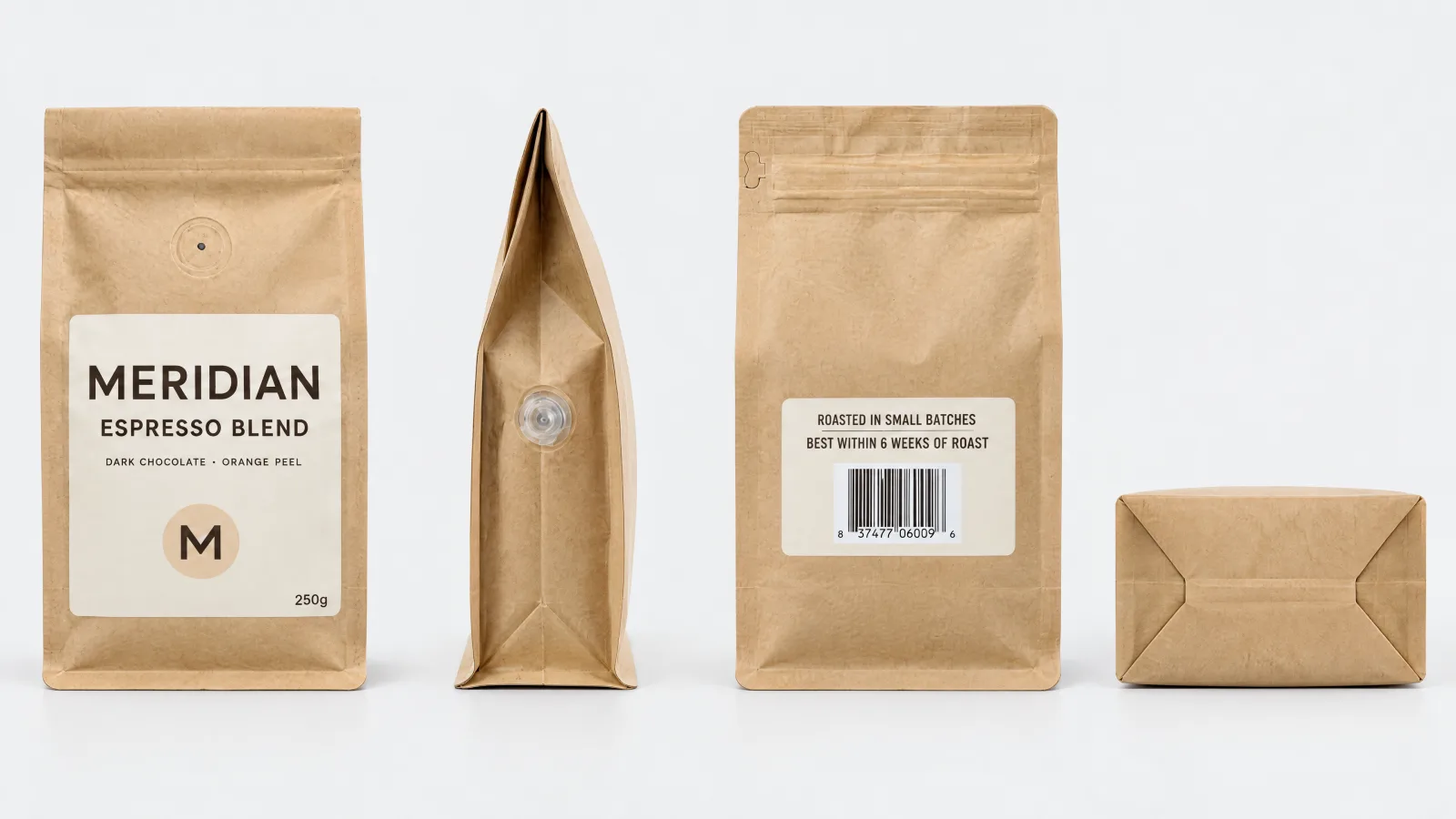
The product sheet. A product sheet shows the bag from each side, so later images and clips can show it accurately. It is a 4K image, on the same model, built from three views of the bag. Estimated cost $0.1002 (rate as of 11 September 2026). The three views were generated stand-ins for phone photos. With a real product you would take them on your phone, at no generation cost.
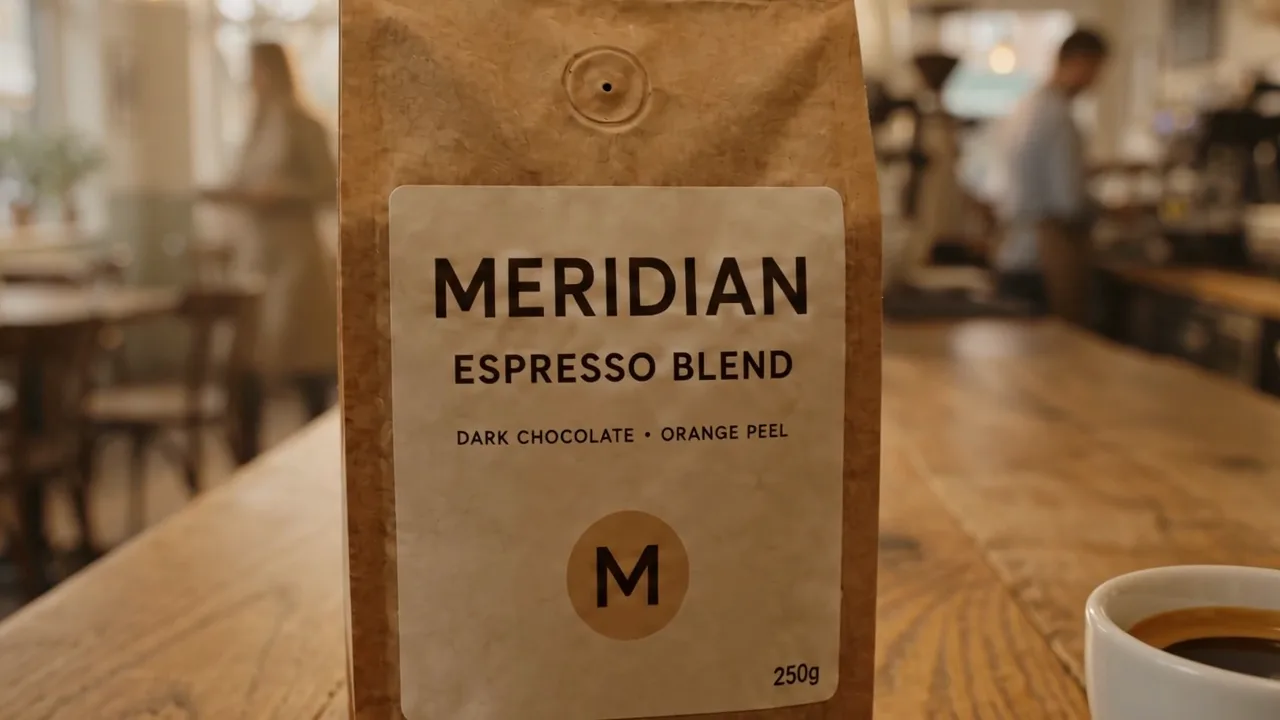
The reel. We asked for an eight-second 720p clip: the bag on an oak counter in a café, a cup of espresso set down beside it, a slow push-in on the label. Estimated cost $1.13: eight seconds at $0.14 a second, plus $0.01 for the attached image (rates as of 12 September 2026).
What it came to. The three came to $1.24, and each figure is kept on Meridian Coffee's statement at the rate of the day it was made. The clip is most of it: a second of video costs more than this whole bag image.
How it works in Plurum
- Connect your provider on Platforms. Paste the API key from your Google, OpenAI or fal.ai account. Each image is made on that account, and the provider bills you for it.
- Choose the model and the format on Generate. The format picker shows the estimated cost of each size, and the model picker shows each model's estimated cost.
- Check the estimate on the Generate button. It is there before you press it, and it changes as you change the model, the size or the length of a clip.
- Find the cost afterwards in Statements. Each generation lands on its client's statement with the cost it was priced at, and you can export the month as a PDF.
- Set a limit for your AI assistant on Platforms. If an assistant on your Mac makes images for you, it shows the estimate first and asks before it spends past your limit.
The rates, side by side
Plurum's rate card, as of the dates shown. Each figure is Plurum's estimate of the provider's charge, for one image or one second of video. The app offers the models your connected provider accounts can use.
Images, per image
| Model | Provider | 1K | 2K | 4K | Rate as of |
|---|---|---|---|---|---|
| Gemini 3.1 Flash | $0.0672 | $0.101 | $0.151 | 8 Sep 2026 | |
| Gemini 3 Pro | $0.134 | $0.134 | $0.24 | 4 Aug 2026 | |
| GPT Image 2.5 Sunburst | OpenAI | $0.0133 | $0.0528 | $0.1002 | 11 Sep 2026 |
| GPT Image 2 | OpenAI | $0.053 | $0.211 | $0.211 | 4 Aug 2026 |
| Flux 1.1 Pro | fal | $0.04 | $0.04 | - | 4 Aug 2026 |
| Flux Schnell | fal | $0.003 | $0.003 | - | 4 Aug 2026 |
Video, per second
| Model | Provider | 720p | 1080p | Eight seconds at 720p | Rate as of |
|---|---|---|---|---|---|
| Veo 3.1 Lite | $0.05 | $0.08 | $0.40 | 8 Sep 2026 | |
| Veo 3.1 Fast | $0.10 | $0.12 | $0.80 | 8 Sep 2026 | |
| Veo 3.1 | $0.40 | $0.40 | $3.20 | 4 Aug 2026 | |
| Grok Imagine Video 1.5 | fal | $0.14 | $0.25 | $1.12 | 12 Sep 2026 |
| Seedance 2.5 | fal | $0.473 | $1.164 | $3.78 | 23 Sep 2026 |
A dash means the model doesn't offer that size. Some video models add a small charge for each attached image.
Limits to know
- These are estimates. They come from Plurum's rate card, with the date each rate was set. Your provider's invoice is the real figure.
- Rates change. A new rate applies to what you make next. What you have already made keeps the cost it was priced at.
- Look over a clip before you use it. A clip can come back with a detail wrong, such as a word on a label, and it is charged whether or not you use it.
- A failed call can still be charged. Some providers charge for a request that fails. Plurum lists failed calls on Platforms, apart from what your library cost.
- Writing help is priced after it runs. Suggest, Refine and reading a brief are charged by the provider on the words in and out, so their cost is known once they finish, not before.
- Plurum's own plan is a separate fee. The Free plan has no Plurum fee and covers 25 images a month, images only. Video and Statements are on the paid plans. Your provider charges for each generation on any plan.
Related
- Track AI image costs per client: how each client's spend is kept apart and read back by month.
- AI images with your own API key: connecting the provider account you already pay for.
- Statements: the monthly statement of estimated generation costs for each client.
- Product sheets: how the sheet in this example is built, and what it is for.
Questions people ask
How much does one AI image cost?
On Plurum's rate card, from $0.003 to $0.24, set by the model and the size. Each rate carries the date it was set.
Why does a video clip cost so much more than an image?
A clip is priced by the second, so eight seconds is eight seconds of charges. At 720p that comes to between $0.40 and $3.78 on the rate card.
Does Plurum add anything to the provider's price?
No. Plurum adds no markup to your provider's charge. Your provider bills you directly, and Plurum's plan fee is separate.
Does a bigger image cost more?
On most models, yes: 2K and 4K cost more than 1K. A few charge the same for 1K and 2K, so the table is worth a look.
How much water or energy does an AI image use?
Plurum doesn't measure that.
Who made this
Plurum is coming soon for Mac.
Register your interest
Plurum is nearly ready. Register your interest and we'll email you when your plan opens.